
Spotted a mistake in accounts you've already filed? You can replace them with a corrected version. An amended set of accounts is a fresh filing that supersedes the one before it — Tax Optimiser stamps it with the amendment indicator in the iXBRL, which is how Companies House and HMRC know it replaces an earlier return rather than being a duplicate. Companies House then asks you to say how you are revising the accounts, and won't accept the filing until you have. This article walks the whole journey: checking the original went through, correcting the figures, marking the accounts as amended, filling in the revision detail, and re-filing.
Amend only after the original has been accepted
Amending is for accounts that have already been filed and accepted. Open your accounting period, go to the Companies House Submission screen and check the original submission shows a green Complete status. If it's still in progress, errored, or was never sent, there's nothing to amend yet — fix and submit the original instead.
Correct the figures first
Marking accounts as amended is a one-way step, so get the numbers right before you do it. Make your corrections the usual way — adjust the trial balance, post a journal, or edit the relevant note — and check the preview shows the figures you expect. If you imported the original numbers from a spreadsheet, see Import a trial balance from a spreadsheet; for a refresher on where everything lives, see Touring the View Accounts screen.
Mark the accounts as amended
The simplest route is straight from the filing screen. On the Companies House Submission screen for a completed submission, click Submit as amended. It does two things in one step: it flags the accounts as amended and starts a fresh submission for the corrected version. Your original submission is kept untouched as history.
You can also flag the accounts on their own from View Accounts: open the Actions list and choose Mark as amended. Either way you'll be asked to confirm, because the iXBRL document is regenerated with the amendment indicator set.
Once amended, the accounts are re-titled “Amended…”, the sidebar shows a green Amended return status, and the preview is banded “Accounts have been set to amend”:
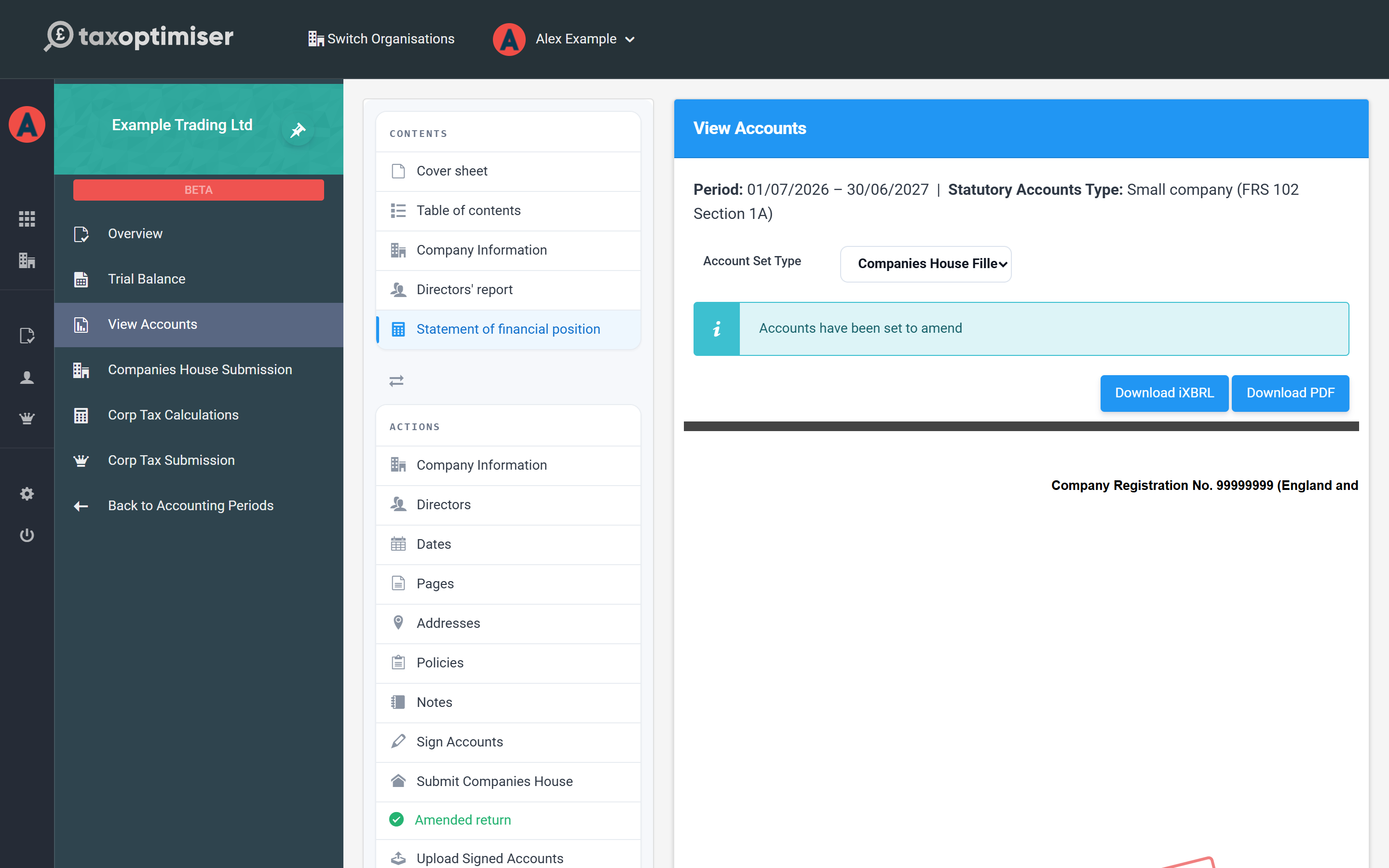
This can’t be undone from the screen, so only mark accounts as amended once the original filing has actually been accepted and your corrections are in.
Tell Companies House how you are revising the accounts
Marking the accounts as amended is only half the job. Company law gives you two ways to revise accounts that have already been filed, and Companies House needs to know which one you're using before it will accept the filing. Choose in View Accounts → Actions → Company Information, in the Amended accounts section:
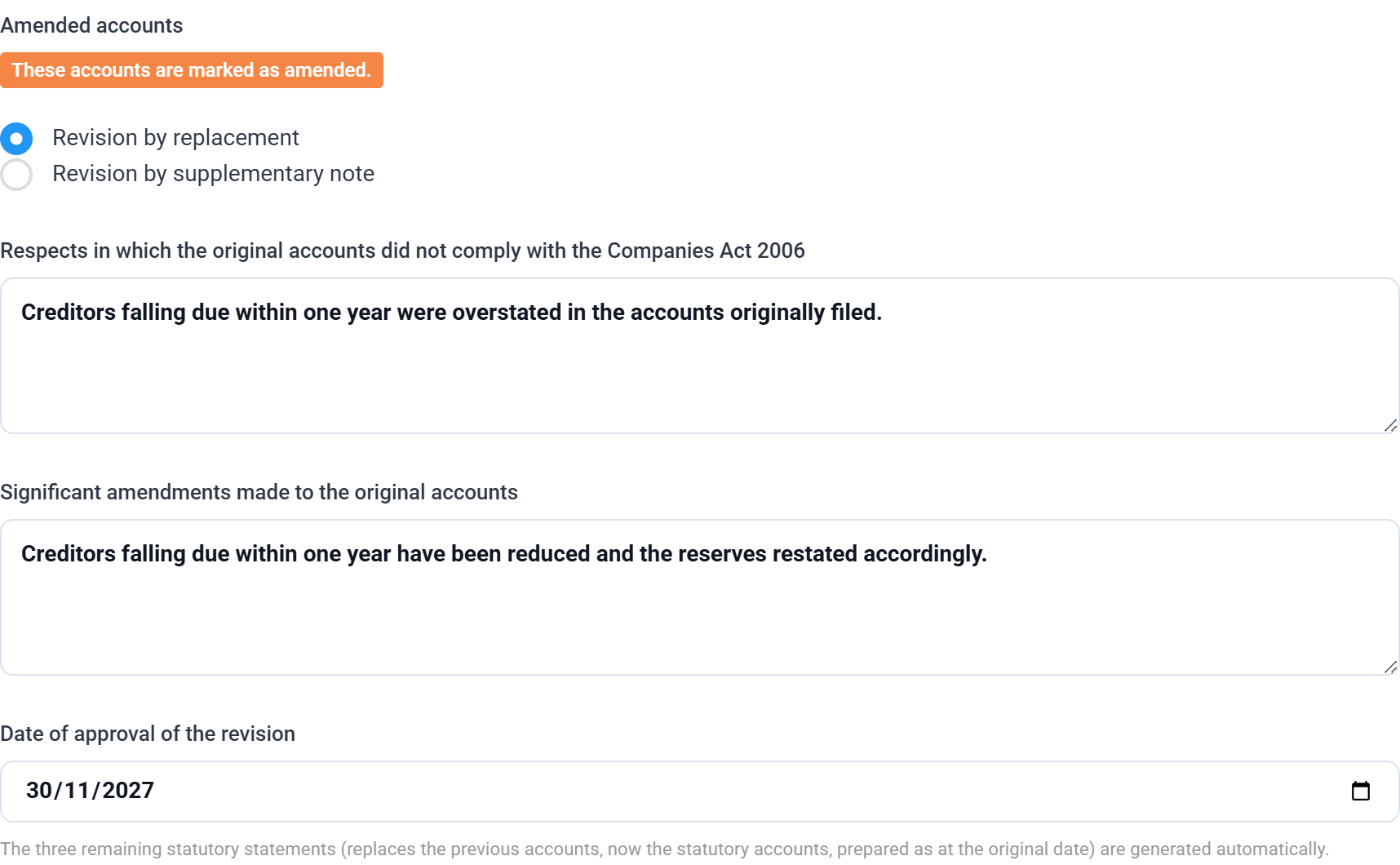
Revision by replacement is the usual choice and the default. You file a complete corrected set of accounts that replaces the original on the register. Fill in two things in your own words, plus a date:
- Respects in which the original accounts did not comply with the Companies Act 2006 — what was wrong. For example, “Creditors falling due within one year were overstated in the accounts originally filed.”
- Significant amendments made to the original accounts — what you changed. For example, “Creditors falling due within one year have been reduced and the reserves restated accordingly.”
- Date of approval of the revision — when the board approved the revised accounts. This is a new approval, separate from the date the original accounts were signed.
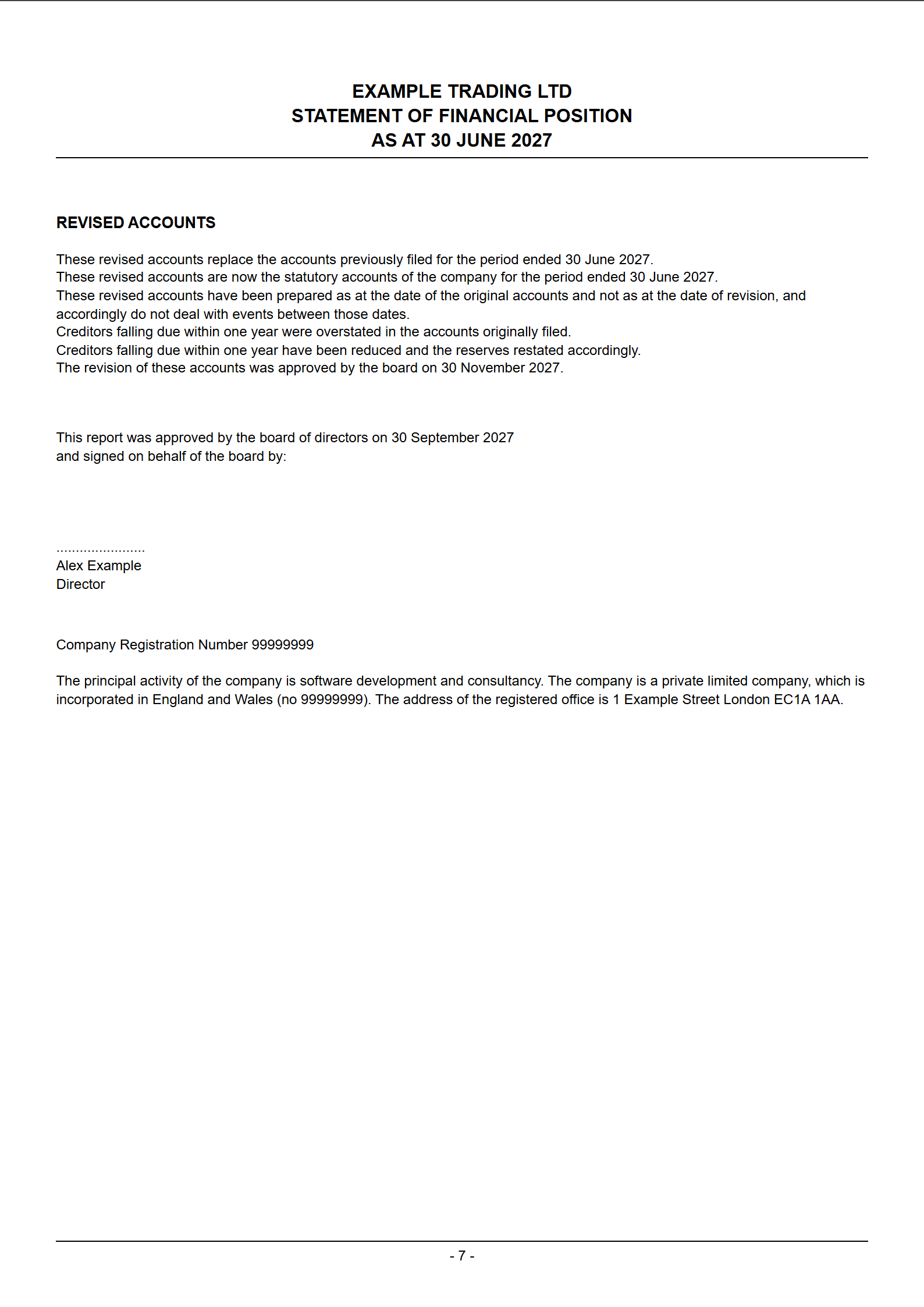
Three further statements the law requires — that the revised accounts replace the ones previously filed, that they are now the statutory accounts for the period, and that they were prepared as at the date of the original accounts — are written for you automatically.
Revision by supplementary note is the alternative. The original accounts stay on the register and a note explaining the revision is appended to them. Pick this route and you get a single Supplementary note box instead of the fields above.
The two routes are mutually exclusive — Companies House rejects a filing that uses both, so Tax Optimiser only ever sends the one you picked.
Whichever route you choose, the wording appears in the accounts themselves under a REVISED ACCOUNTS heading, just above the directors' approval and signature block:
The app won’t let you file until it’s complete
Because an incomplete amended filing is rejected outright, Tax Optimiser stops you before you send it. While the revision detail is missing you'll see a red error in Actions → Validation — “These accounts are marked as amended but the revised accounts statements have not been completed” — and clicking Companies House Submission opens that list instead of the submission screen:
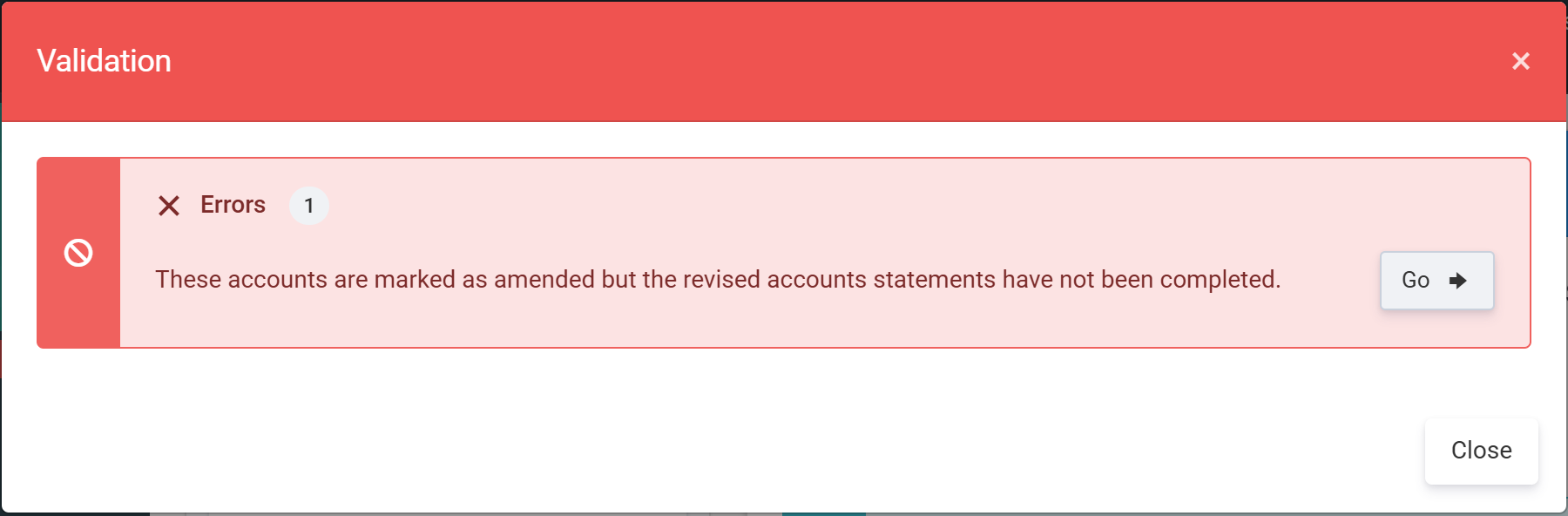
If you came in through Submit as amended, the submission wizard's Requirements step shows the same thing as a Revised accounts detail row with a Complete it button. Unlike the other requirements on that step, this one can't be overridden — ticking the override box won't get you past it, because the filing would simply come back rejected.
For reference, the rejection Companies House returns when the detail is missing reads: “For accounts identified as 'amended/revised' either SupplementaryNote must be provided and be non-empty or all relevant statement items and DateApprovalRevisionReport must be present.” If you have seen that message, filling in the section above is the fix. For more on the validation list generally, see Validation, signing and signed accounts.
Re-file with Companies House
If you used Submit as amended, you're already in a fresh submission wizard for the corrected accounts — work through it exactly as you did the first time. (If you flagged the accounts from View Accounts instead, just start a new Companies House submission for the period.) On the Requirements step, This is an amended submission is already ticked for you. The original submission stays in your history, and you're offered the full or filleted choice again at the Review Document step. For a reminder of what each version contains, see Full or filleted: what gets filed where.
Amend your Corporation Tax return too
If your correction changed the profit, you'll also need to amend the Corporation Tax return you sent to HMRC. You don't set this separately: because the accounts are flagged as amended, the Corporation Tax submission for the same period is automatically treated as an Amended return, and the corrected full accounts re-attach to the CT600 when you resubmit. Re-run the Corporation Tax submission for the period to send the amended figures to HMRC.
That's the full journey — correct, mark as amended, say how you're revising, and re-file. For the rest of the year-end, browse the Company Accounts guide.